Two players, one screen.
Rig King is made for the couch. Race a friend side by side on one big screen, plug in a game controller, or turn an iPhone into a wireless controller by scanning a QR code.
Two-player split screen
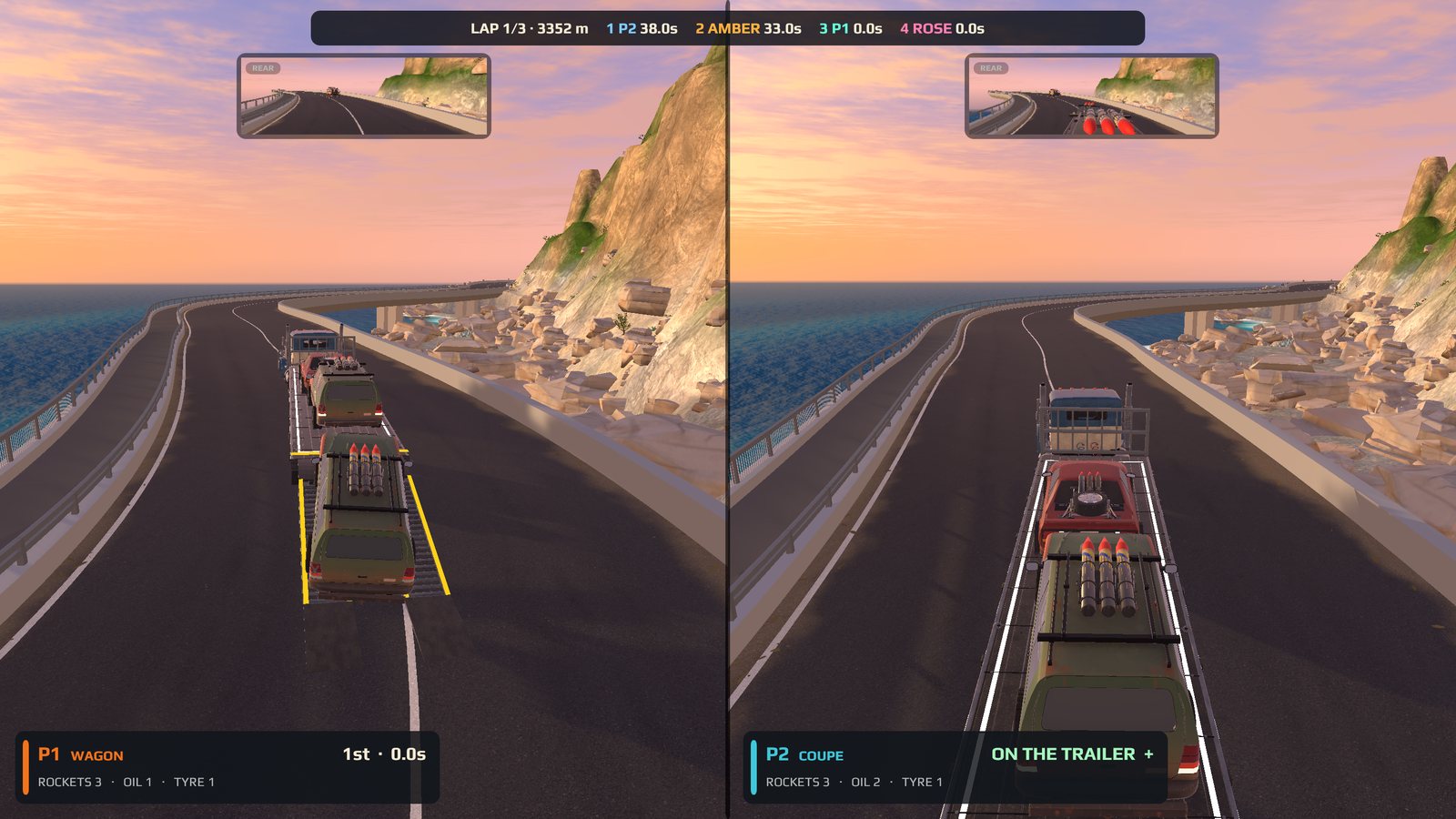
Your view on the left, theirs on the right.
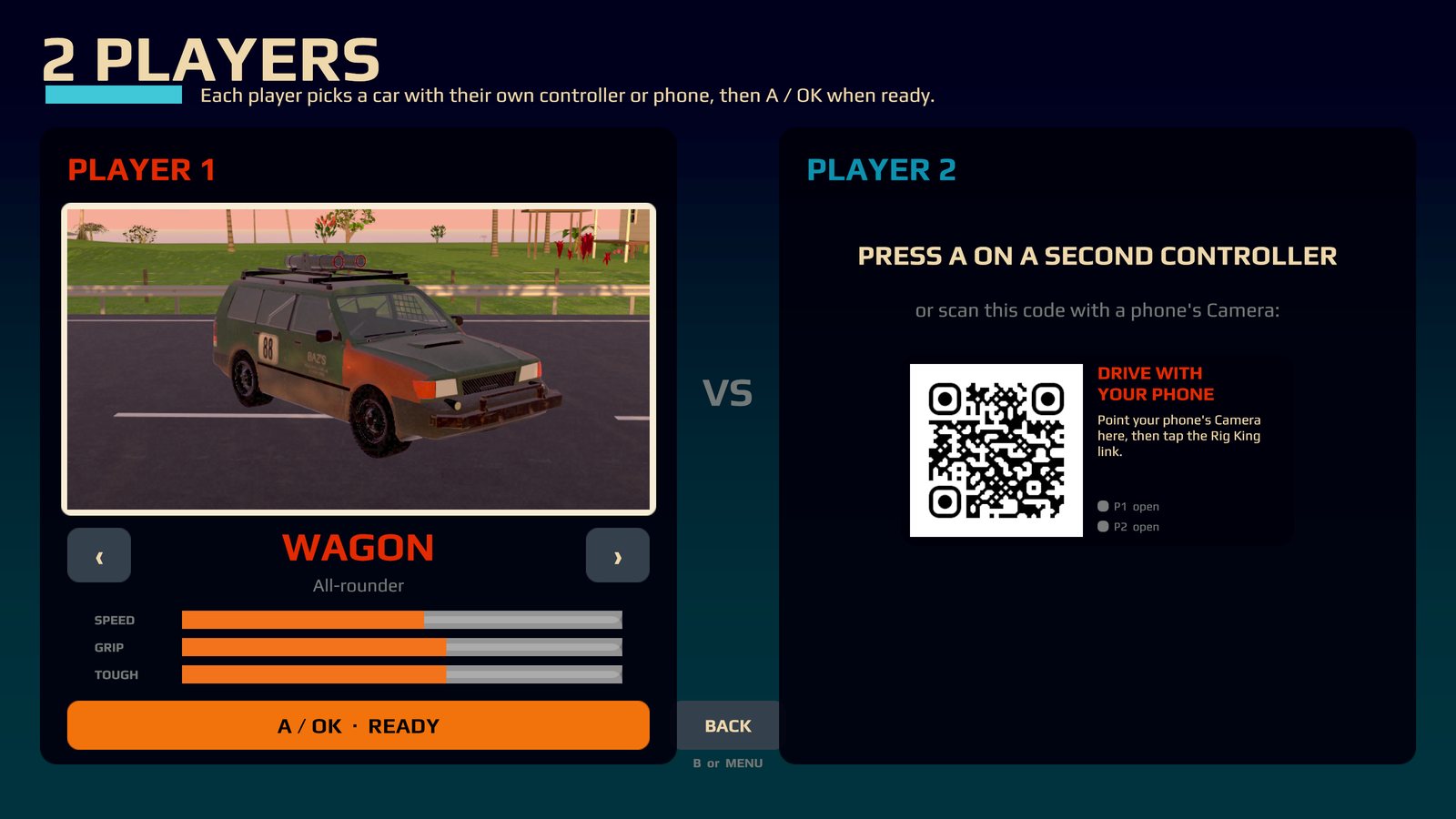
Choose 2 PLAYERS beside PLAY on the main menu. The screen splits down the middle, and each player gets their own chase camera and their own rear-view mirror. You are still racing for the same trailer, and the two AI rivals are still in the field, so it is two people and two rivals fighting for one deck. Most time aboard wins.
- Player 2 joins. Press A on a second controller, or scan the QR code shown in player 2's half of the lobby with an iPhone.
- Both pick a car. Each player chooses with their own controller or phone, and every car available to player 1 is available to player 2. Both players ready up.
- Player 1 picks the track. Then the race starts. After the heat you go back to the lobby, and a SWAP button changes which side each player sits on.
Where you can play it
Two-player split screen is offered on the Apple TV, the iPad and the Mac. The iPhone is for playing alone or for use as a controller, and the Android version is one player on one device.
Good to know
- Two-player races don't count towards your single-player progress.
- If a controller or phone drops out mid-race, the race pauses and tells you whose it was. Rejoin and carry on.
Game controllers
Plug in a controller.
Rig King supports Xbox, PlayStation and other MFi-compatible game controllers. On the Apple TV a controller (or an iPhone, below) is needed to drive, because the Siri Remote moves around the menus only.
- A tested example: an Android Bluetooth controller has been tested working on the Apple TV. Support varies by controller model, so treat it as one example, not a guarantee for every pad.
- A second controller joins as player 2 by pressing A in the 2 PLAYERS lobby.
- Each player uses one device, a controller or a phone, never both. The first device to join takes player 1, the next takes player 2.
- Menus, pause and results all work with a controller, so you never need to reach for a remote.
iPhone as a controller
Scan the QR code. Drive with your phone.
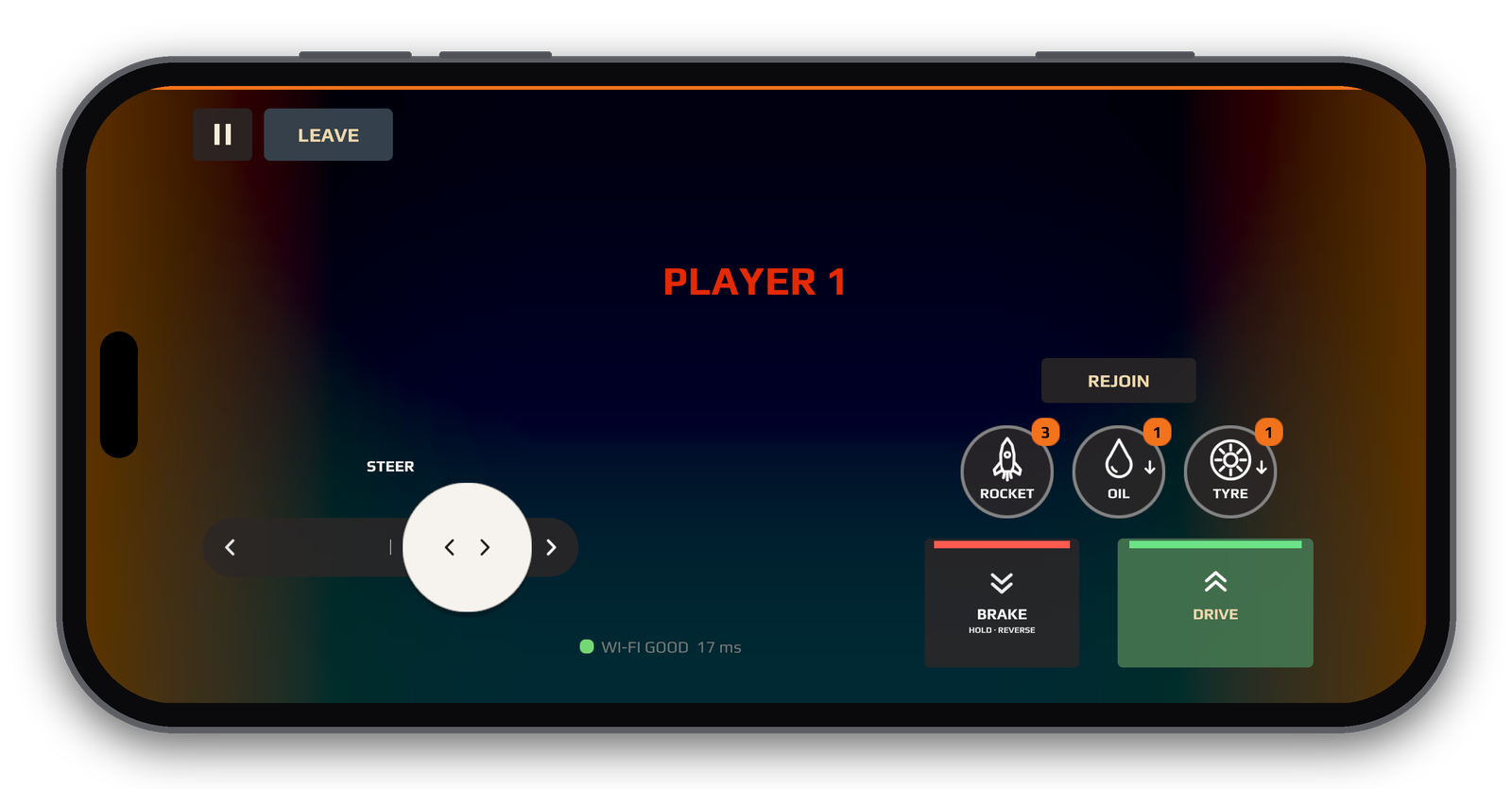
If nobody has a controller handy, an iPhone running Rig King will do. It joins the big screen over your home Wi-Fi, and it uses the same touch controls as the phone game: steering on the left, pedals on the right, and buttons for the rocket, oil and tyre, plus REJOIN. Between races it works as a remote for the menus.
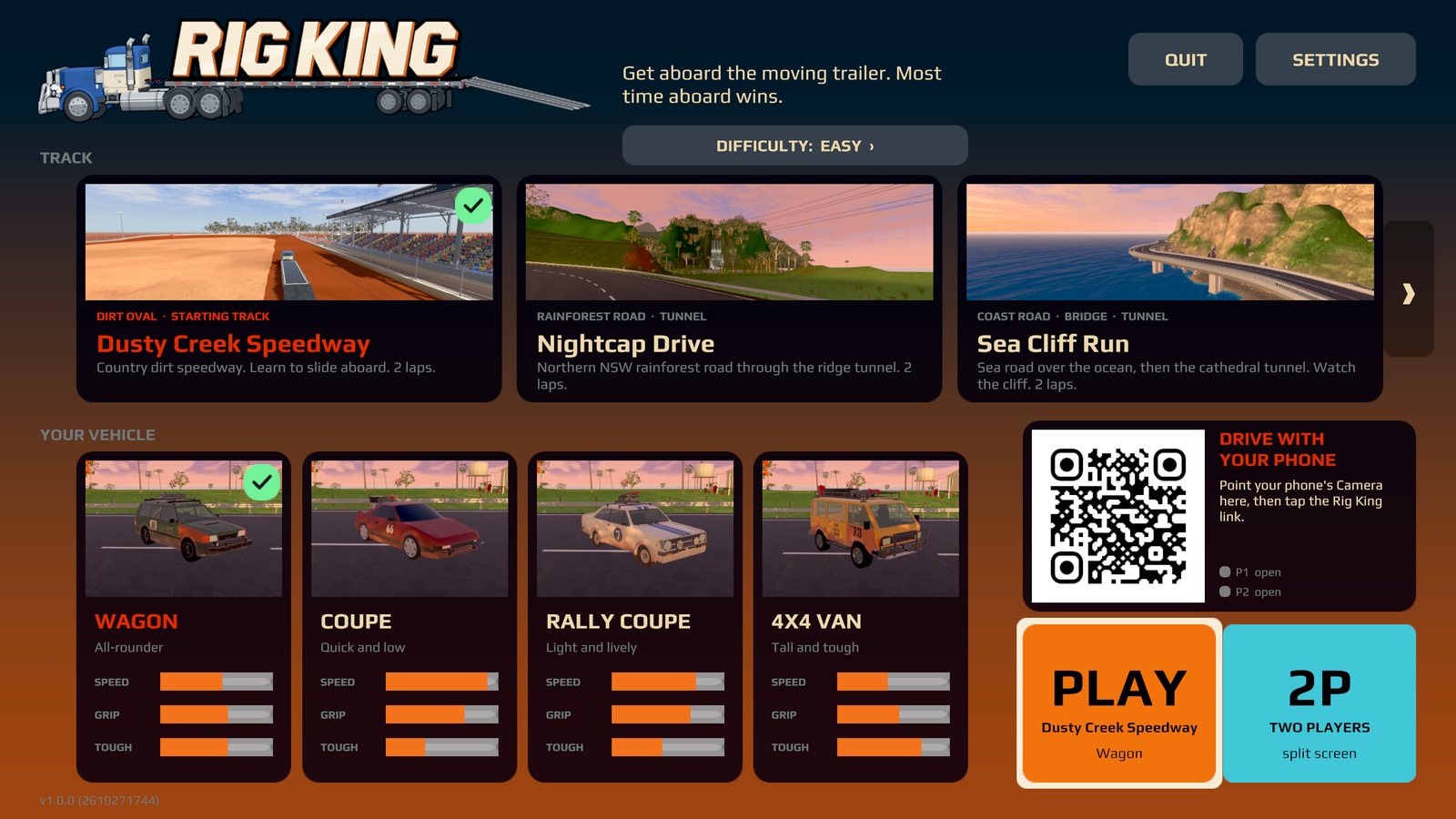
- Show the code. On the Apple TV, iPad or Mac, choose CONTROLLER on the main menu. A QR code appears, and in the 2 PLAYERS lobby player 2's half shows one too.
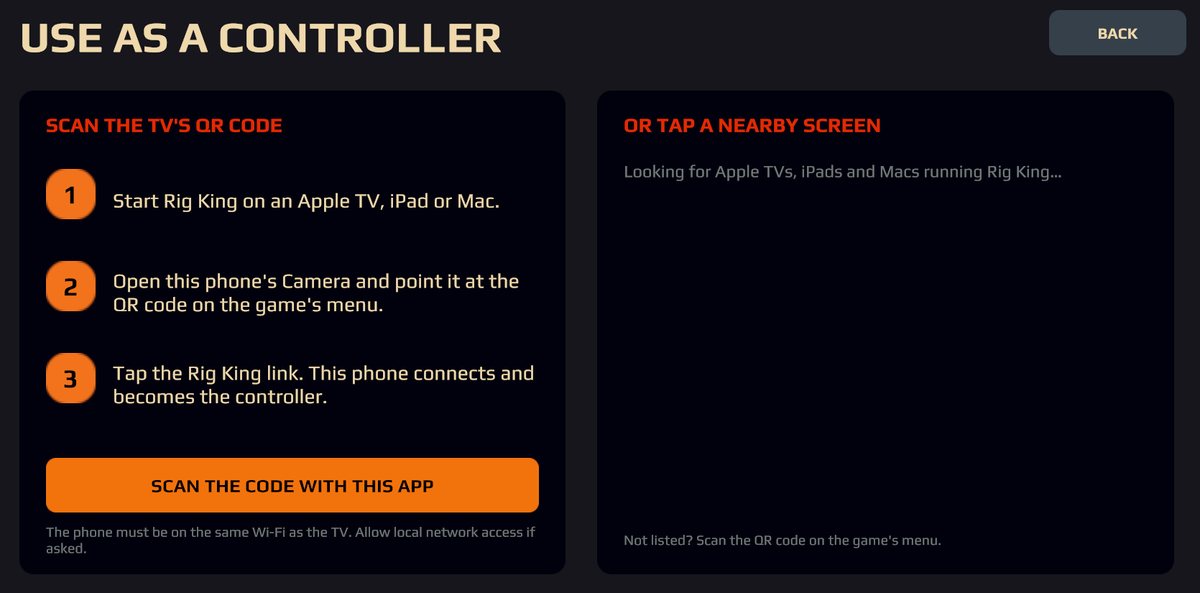
- Scan it. Point the iPhone's Camera at the code and tap the Rig King banner. Or open Rig King on the iPhone, choose CONTROLLER, and either scan the code in the game or tap the Apple TV or iPad it finds nearby.
- Allow local network access if iOS asks. Then you are in.
Good to know
- The iPhone and the big screen must be on the same Wi-Fi network. Nothing leaves your network.
- Up to two phones can join one screen, one for each player.
- The phone shows its connection quality, and warns you if the Wi-Fi is slow enough to make steering lag.
What works where
| Device | Split screen | Game controller | iPhone controller |
|---|---|---|---|
| Apple TV | Yes | Yes, needed to drive | Yes |
| iPad | Yes | Yes | Yes |
| Mac | Yes | Yes | Yes, by QR code |
| iPhone | No | Yes | It is the controller |